Showing posts with label Mary Ann Farley. Show all posts

January 8, 2013

How to Create An Email Newsletter

You've made all those sales with your shop, you have all the email addresses of your customers...what can you do with this valuable information? Create an email newsletter, of course! Below, Cynthia Minnaar, a full-time internet marketer, shares her expertise with the New York Etsy Team on how to create a spectacular email newsletter...

*****************

1. Maintain focus. A narrowly focused newsletter performs better than a broad themed one.

This is because it is easier to get people to subscribe to it. Also it is an excellent way to sell targeted niche products. As an example, publishing an email newsletter on putting it is likely to do better than a newsletter on golf in general.

2. Make use of a good auto-responder. It is very important that your email newsletter gets through spam filters and into a person's email inbox.

This is why you need to use a quality auto-responder. Get Response and Aweber are two of the best.

3. Always be consistent. This does not mean that you have to publish every day or even every week if you don't want to.

What is important is that you set a schedule and stick to it. If you decide on a monthly newsletter then consistently get your newsletter out every month on the same date so people get used to seeing it.

4. Include useful information. Bear in mind that email newsletters are not sales letters. You can send out solo email ads for that purpose.

When people receive useful information they will be glad they subscribe to your newsletter. Also the more unique information you can include in your newsletter the more subscribers you will get and keep.

5. Use your newsletter to sell advertising. Selling top sponsor adverts, bottom sponsor adverts, classified adverts and email solo adverts is a way you can make money. Just don't over advertise in your newsletter to the point that people can't find the quality information you provide.

6. Use It for Branding. Ensure that you get the header at the top of your newsletter. Also if you are going to include colors into your newsletter make it match the theme of your blog or website.

You will be doing a good job of branding your Internet business when people get used to seeing the same things over and over from you.

The above are a few tips on how to create an email newsletter. You will discover that an email newsletter that is published on a consistent basis, to people who choose to receive it, becomes a very valuable business asset.

About The Author
Cynthia Minnaar is a full-time internet marketer and owner of http://www.cyns-home-biz.com. For more tips she invites you to subscribe to her free email newsletter and receive free internet income training. Click here: http://www.cyns-home-biz.com/Internet-Income-Training.html

**************

Until next time!
Mary Ann

www.maryannfarley.etsy.com


December 19, 2012

Get Clients With Your Blog By Being Authentic

Online business consultant, expert and author Biana Babinsky was kind enough to share her thoughts with the New York Etsy Team as to how to boost your blog readership. Etsy always tells us how important it is to tell our "stories" to our customers, right? But how exactly do we do that? Biana here gets specific.

**************************************

Are you looking for a way to bring target customers to your business while using your authentic voice? Many coaches, consultants and other solopreneurs have told me that they feel that the only way to get clients is to adopt the marketing methods of a used car salesman. They feel they have to change themselves and their approach and adopt hard-sell sales techniques to bring in clients.


Fortunately for all of us, this is not true. You can remain true to your authentic self and still have a thriving business with all the clients you can handle.

You can speak in your authentic voice and get clients. One of the best ways to do this is to have your own blog and post new entries consistently. Here is how:

Write your blog posts in a conversational style, rather than the more formal style that the rest of your web site is written in. When you are blogging, simply imagine that you are talking to your readers and let your authentic self shine through.

When you talk to your blog readers, they feel more connected to you and are more likely to become your clients as a result.

Use your blog to tell stories. Your blog is the perfect place to tell stories that illustrate what you do. Such stories might not be appropriate for the rest of your web site, but they are perfect to share on your blog.

For example, is there a popular story in the press right now that you can relate to your products and services? Did you hear an interesting anecdote that illustrates a point that you want to share with potential clients?

A great story helps you share with your potential clients and at the same time spotlight your business, products and services.

Offer your blog readers a gift. What can be more helpful, authentic and professional than helping your potential customers with a problem they are experiencing? Your potential customers need help with problems they are trying to solve. Your blog is an excellent tool for you to help your potential customers do just that.

Create a gift that your potential customers crave. This gift should solve a problem that your potential customers are experiencing and desperately need help with. Package your gift as a special report, e-book or audio recording so that you can create the gift once and give it out to thousands of people.

Once you have the gift ready, offer it to your blog readers in exchange for subscribing to your newsletter. Doing this will help you build a list of potential customers that you can contact and market to on a regular basis.

************************************

About the author: Learn how to get clients, customers and newsletter subscribers with your blog at http://www.avocadoconsulting.com/rlinks/zbt.

Until next time!
Mary Ann

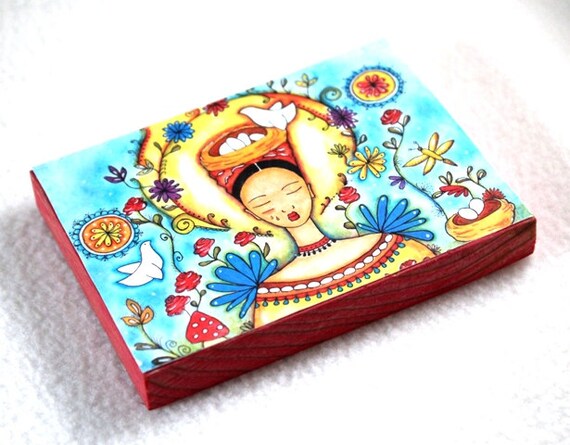
"Hatching Ideas," a small wood block print
The store: MaryAnnFarley


December 5, 2012

How to Monitor Your Shop Online

Looking to monitor your shop online? Here are some great tools that will let you know how your presence is doing on the web...and most of them are free!

Thank you, Pete Codella (@Codella on Twitter), VP of marketing and PR for Alexander's, a Utah-based full-service traditional and digital marketing communications firm, for these suggestions.

MONITOR YOUR BRAND
SocialMention
      • Track and measure what people are saying about your company.
      • Monitor Twitter, Facebook, YouTube, Digg, Google and many more.

Google Alerts
      • Receive email alerts about your brand, topics of interest and more.

SEO
HubSpot's Marketing Grader
      • Measure your marketing activities.
      • Find out how your website ranks.
      • Find out how competing websites rank.

TRACK YOUR TWEETS
Topsy
      • Get realtime insights from Twitter conversations.
      • Search links, tweets, photos, videos, what's trending and more.

Twello 
      • Find users in a specific locations based on their Twitter bios.

FACEBOOK
Involver (paid plans available, too)
      • Add branded applications to your Facebook fan page.
      • Has additional paid and free apps for other channels.

ShortStack (paid plans available, too)
      • Design Facebook Apps and contests.

PINTEREST
Pingraphy
      • Schedule pins on Pinterest.
      • Analyze metrics.
      • Upload pins in bulk.

PinPuff
      • Calculate the measure of your popularity on Pinterest and value of each pin.

VIDEO
Grovo (paid plans available, too)
      • Online video training site that teaches you social media tricks and tips through quick videos.
      • A great way to strengthen your team's understanding of social media.

See you next time!

Mary Ann

"King Kitty"Art Print by MaryAnnFarley

October 16, 2012

Social Media Traffic 101


Ana Hoffman at TrafficGenerationCafe.com  is one of the most knowledgeable people I've come across on the web when it comes to promoting yourself through social media, and all of the info on her site is free!

Here's just one article that I've found incredibly helpful...

*******************************************

Social media has been called a lot of things:

  • the best thing since sliced bread;
  • productivity killer;
  • the next marketing wonder.

Truthfully, it doesn’t really matter what YOU think about social media. If your audience and your competitors are there, you don’t really have much of a choice, do you? Social media is to your website as breathing is to living. Period.

A few quick tips before we dive into the mysteries of driving traffic from social media:

Start with one platform

Social media is the great example of Pareto principal  at work (roughly 80% of the effects come from 20% of the causes). My best advice is not to spread yourself too thin.


  • Find the one social media platform that YOUR target audience seems to favor and stick with it.
  • Learn the ins and outs of it.
  • Master all the nuances of traffic generation.
  • Figure out how to put most of it on autopilot.
  • Move on to the next one.

How to figure out which one to start with

1.   Use your Google Analytics (GA) data


If you are already driving social media traffic large enough to analyze some stats, then start here.

  • Go to your GA dashboard and look up your referral traffic.
  • See which social media platform drives the most traffic AND converts the best.
  • Focus on that one.

2.   Use your competitor’s data

If you are brand new to social media or even blogging in general, then see where your competitors get most of their traffic from. That should be a good indicator of where your potential readers might be hanging out. The easiest way of collecting this type of data is through Alexa.com.

Just search for any competitor’s site and go under “Clickstream” to see where their social media traffic comes from.

While there are scads of social media traffic sources, I have outlined some of the big dogs for you.

Twitter
How to Drive Traffic From Twitter the Right Way
Tweet Adder: How to Get More Followers on Twitter Fast
Why Twitter Shut Down My Account and What YOU Can Do to Avoid It


Facebook
How to Get the Facebook Crowd to Like You More

Google Plus
Google Plus Bite-Sized Tutorial for the Busy Marketer


Pinterest
Image Gone Viral or Ana Gone Mad?
Pinterest Traffic: Possibility or Time Dump

****************************
Thanks, Ana! That's certainly enough to get us started!

Until next time!

Mary Ann
"Three Girls" Art Print
The shop: MaryAnnFarley


October 2, 2012

Boosting Response on Facebook: 3 Creative Ideas


I love this web site for its great articles on social media marketing. They're always on the lookout for the latest trends and tips on what's working for people, and this one posted just last week about Facebook ranks among their best.
**********************************

John Jantsch at Duct Tape Marketing recently shared with MarketingProfs.com  his insights about three tactics boosting response for him at Facebook. Feeling creative? With your next post, you might want to:

Use an image for your update. Forget the blah, blah, blah. Upload a photo as your next status update! Then add a little descriptive copy and a link to your blog post (which can go into detail about your big announcement) in the "say something about the photo" box, Jantsch suggests. "I notice that when I do this I get … more views and more engagement," he says.

Use a tab for a call to action. The space to the right of the About box will display four images (tabs) of your current pages or apps. The good news is you can create your own images in those spaces! Why not include a call to action in one of them? For instance, "if you want to send someone to a page to grab a free eBook, you can use an image to create the call to action," he advises.

Schedule your posts. According to Jantsch, scheduling posts is no longer a professional no-no, and it might even get you more TLC at Facebook. He reports that his scheduled posts are getting seen by greater numbers. Why? Perhaps Facebook favors direct posts over those posted by third-party tools. "I know off hand that my direct content gets 30-50% more views then content from Buffer," he notes.

The Point: A little creativity can go a long way online. Try a couple of clever tactics at Facebook to help raise your B2B social profile.


Until next time!
Mary Ann

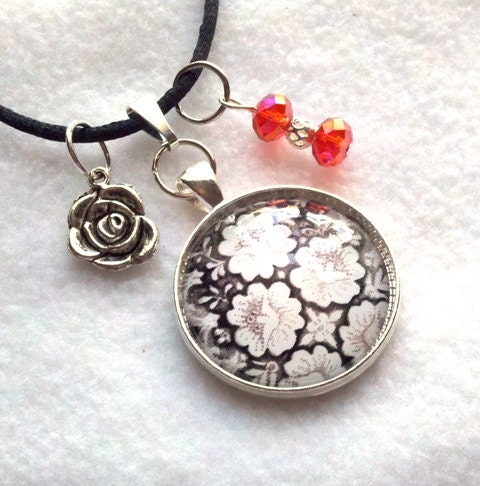
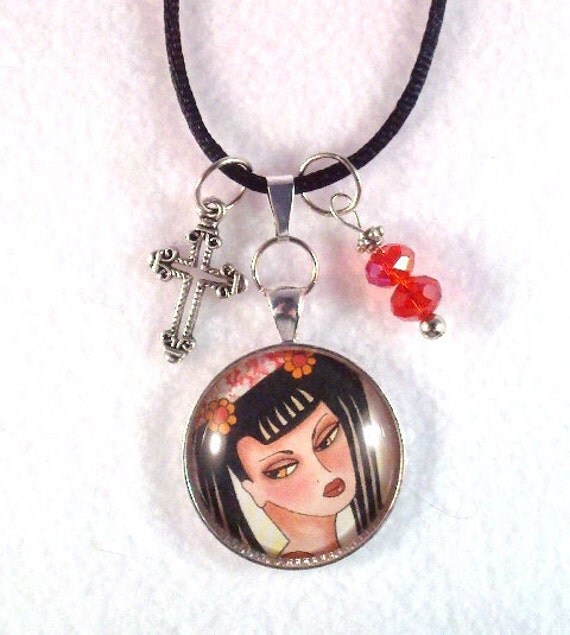
The Flowers Charm Pendant
The Shop: MaryAnnFarley


September 16, 2012

Three Tips On Engaging Your Ideal Prospects Using Copy


In scouring the web this week for advice on how to write better Twitter copy, I came across this article by Michele Pariza Wacek, a marketing and copywriting expert. She doesn't talk here specifically about Twitter, but about copywriting in general, and her advice is wonderful! She graciously shares her advice with the New York Etsy Team below...

**************************************

Three Tips On Engaging Your Ideal Prospects Using Copy


You’ve done all this work to get people to visit your website, only to have nothing happen.

No sign ups for your newsletter, no inquiries about your products and services, no sales, no nothing.

So what’s the problem? Chances are it has something to do with your copy not engaging your ideal prospects so they want to become your customers and clients.

What can you do to fix that? Well, the simple answer is your copy needs to connect on a deeper level to what your ideal clients find important. The difficult answer is how exactly do you do that. Below are three  tips to get you started:

1. Know EXACTLY who your ideal clients are. Look, you’re not going to be able to connect with them on a deep level if you don’t know who they are, what keeps them up night and what’s important to them. This is why you need more than just the demographic stuff (age, income level, etc.) you need to know WHY they’re struggling, what they most want in the world, what their values are, etc.

The more you actually know your ideal clients on this deep level, the more you’ll be able to use the words and phrases that truly engage them.

So how do you get started finding your ideal client? Ask yourself this — who are your favorite clients? Write down a list of your favorite clients and compare them. (If you’re just starting out and haven’t had any clients, think about the other people in your life you enjoy working with and describe them.)

Why are those clients your favorites? What do they have in common? (Look beyond the external descriptions such as gender and age, and instead think about mindset and values and beliefs.) Start there and see where it takes you.

Then once you have a picture of your ideal clients in your head, it’s time to look at tip 2.

2. Don’t write to a group (even if it’s a group of your ideal clients). Instead, pick one person and write to that person. When you do this, your writing will naturally sound more intimate. In fact, I would take it one step further and imagine yourself writing a letter to a friend. Your friend has a problem, you KNOW what could really help him or her. Wouldn’t you try and write an engaging, persuasive letter because you REALLY want to help your friend? That’s the way you’ll really start to connect with your ideal clients.

3. Use THEIR language, not yours. In other words, don’t spend hours and hours trying to figure out a cute way to describe what you do that means nothing, or worse, requires a great deal of explanation before anyone even understands what you’re talking about. The best (and easiest) way is to use the same words your ideal clients are using.

Now, you may be wondering to yourself, how do you find out what words your ideal clients are using? Ask them.

Do a survey or ask a question on social networking forums or groups. See what language THEY use to describe their problems and what they’re looking for to solve it. Then use their words in your marketing copy. (Yes, honestly, it really CAN be that easy.)

************************************

Thank you, Michele, for this great advice!

Until next time,
Mary Ann

"Into the Woods" medium-sized print
The shop: MaryAnnFarley

August 31, 2012

Thinking Small for Big Sales: 3 Social Sites to Boost Your Biz


No doubt you’re using Facebook and Twitter to build your following in an attempt to find as many customers as possible, and that’s great. But what you may not have considered in the world of social media are the smaller social networking sites as a way of targeting people who already share certain interests with you.

Susan Newman
Susan Newman of Susan Newman Design, Inc. uses a great metaphor to explain the idea: Facebook and Twitter are global, while these smaller sites are more like your neighborhood, and she’s got the perfect virtual hangouts that any New York business gal should know about.

Social Media Examiner. The Social Media Examiner is a blog website that posts news articles and tutorials about social media, business and blogging (among other topics), and in a section called The Networking Groups, features a discussion board that covers three categories: small business, Facebook, and blogging.

“It’s a great site, because they got people interested in social media all together, then expanded it so that we could all help each other and answer each other’s questions,” says Newman.

Members can also sign up for the site’s daily newsletters, which offer the latest news on social media. “I get alerts every day,” says Newman, “and they’ve taught me quite a bit of what I’ve learned about social networking.

“Of course, if you’re knowledgeable about something, the discussion boards give you an opportunity to help others, as well," she adds. “It's a terrific niche community where the answers you get are really relevant and truly helpful."

The Social Buzz Club.  Newman says the Social Buzz Club has been “really unbelievable” in terms of how much exposure it has gotten her on the web.

While it’s a site that charges for its membership (after a free trial), there are different levels of participation to fit anyone’s budget, and Newman says any level is bound to increase your visibility on the internet.

The Social Buzz Club works by members reposting one another’s blog links on Facebook, Twitter, or wherever you specify you’d like to be promoted.  The set-up is simple: You feed your blog link into the stream, check off its subject category, then wait to see how many people repost it for you. Each member commits to reposting a certain number of times each month, and Newman says it’s incredibly helpful to see which of her blog posts get the most reposts.

“What’s great is that as soon as I go into my dashboard,” she says, “I can see which posts were shared how many times, and that’s valuable information for me, to see which posts are resonating. I had one post that was shared just once, while another was reposted 26 times.”

When a member has tens of thousands of followers on their Facebook page, for example, and they repost your blog link, that’s incredible exposure.

“It’s amazing how much this site has exploded my visibility on the web,” Newman says.

(A link to the Social Buzz Club is on Newman’s site, www.susannewmandesign.com. If you decide to sign up for it, kindly consider joining from that link, as it will earn Newman some well-deserved points for all she’s done for the New York Etsy Team. Help her out!)

Savor the Success. Like the Social Buzz Club, Savor the Success has a free trial, but the monthly membership fee, at $50, is a bit steep. However, Newman says the work one can get through the group can often cover the monthly cash outlay.

Savor the Success is a global group of women entrepreneurs, who work in just about all fields; they’re artists, chefs, businesswomen, designers, you name it. (Newman is a member of the New York chapter.) The site's two best features, says Newman, are first, its monthly meeting, which features a guest speaker, then breaks the attendees up into groups of six or seven. During that time, each woman gets to talk for seven or eight minutes about what she does, or she can ask for advice or feedback on some new venture.

The second advantage is access to the group’s web site, and its astounding media lists that cover just about any and all fields…entertainment, jewelry, home décor, business, plus many more.

“They have at least six media lists that get updated every year, and members get to download one per month,” Newman says, noting that for most, just one media list will be applicable to what the member does. “You also get full access to the web site, where you can interact with other members, and find all kinds of video resources as well.”

Newman notes that Savor the Success is a very tight community, which means that each woman knows what everyone else is doing. That, in turn, means that everyone is recommending one another for potential business.

“We also get to post our news, which goes out in a daily email,” she says, “and we can upload our banners, which appear at the top of these emails on a rotating basis. There’s just constant interaction within the group.”

Aside from the free trial, there are also free memberships available, which limits how much access you have to the group's activities and web site. It does, however, allow you to post your profile.

Newman also recommends two other sites: Ozoshare, for Etsy merchants who sell eco-friendly products, and Tumblr, a blog site that is heavy on imagery, and is growing at one of the fastest rates on the internet. More on these sites will appear in a future essay.

Until next time!
Mary Ann

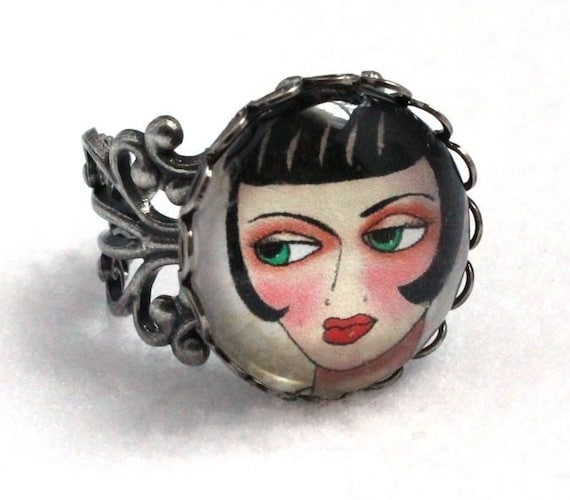
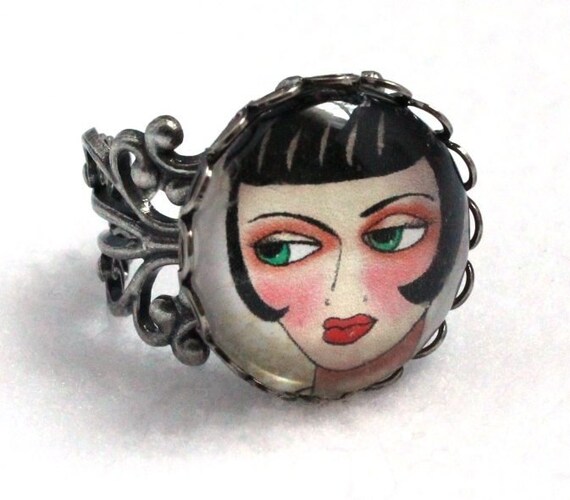
The Brooks Ring
The Shop: MaryAnnFarley


August 17, 2012

Pinterest: Three Tips for Going Viral


With Pinterest now being the fourth largest social networking site, it’s no secret that everyone loves it, and if you’re an Etsy merchant, you’re most likely using it to promote your wares, hoping for those cherished “pins” and “likes” that might make your item go viral.

Instead of just crossing your fingers and wishing for that to happen, Susan Newman of Susan Newman Design, Inc., says there are some key actions one can take to help that along.

Susan Newman
Introduce yourself by re-pinning the items of others. Undoubtedly, you’re regularly pinning your own items to your boards, but sometimes merchants can make the mistake of posting only their items and not photos that express their other interests.

Why is re-pinning so crucial? For one thing, by creating boards that express your other interests, you’re creating a larger and more interesting picture of yourself. But more important, when you re-pin something, the original pinner gets an email notice that you’ve re-pinned their item, and that can stoke some interest in who you are.

“Pinterest is the ultimate social visualization site,” says Newman. “There’s not a lot of commenting going on; it’s just eye candy to look at. So a great way to get someone to notice you, to introduce yourself to a potential customer, is to re-pin their item. Yes, you can follow their boards, but that’s really not the same as friending someone on Facebook. Even commenting on their pin might not get you much attention. The way to draw them in, to get them to come to look at YOUR boards, is to re-pin their items. It’s a great way to introduce yourself to someone you might never meet on any other social networking site.”

Include a price and a description for your pin. The Etsy discussion boards are rife with debates as to whether to post a price on a pin or not, but Newman says it’s better to err on the side of doing it than not. Why?

For one thing, a pin with a price gets the item into Pinterest’s gift section, and making sales is the whole point of pinning the item in the first place. While some may consider posting a price as tacky, Newman says that just too many shoppers are on Pinterest looking for gift items. Not pricing your pins is missing too big of an opportunity, particularly since Pinterest allows shoppers to search by price, too.

“Even if you change the price down the line,” says Newman, “you probably won’t be changing it that much, so you can always honor the previous price if someone has a gripe. You want the sale, right?

Newman also says that a common search practice lately on Pinterest is the use of hashtags, which merchants should absolutely include in their descriptions. In the same way one includes hashtags in a tweet on Twitter, it should also become standard practice to use one or two with your pin on Pinterest.

“Add descriptions to your boards, as well,” she says. “Too many Pinterest users are forgetting to add descriptions and hashtags to their boards, which is a great oversight, as shoppers are also searching the boards for items they’d like to buy. If you have ten items on a board, and there’s no description for it, it will be completely missed in a search.

“It’s okay for your board to have a funky name,” she adds. “Just be sure the description is good.”

Create boards that are relevant to what you do.  Obviously, Etsy merchants are posting their own items, but another way to make contacts is too pin items related to what you do. For example, if you make baby clothes, you could devote a board to baby photography, or vintage dolls.

“By doing this, you’re bringing in people who are like-minded, who might appreciate what you have to sell,” Newman says. “Artists, for example, could create boards devoted to things that give them inspiration, like food or distant places. The more you open up your boards, the more people you’ll bring in who will be eager to learn more about you.

“It’s all about humanizing yourself,” she adds. “You can’t expect everyone to follow you just because they’re your friend or they love what you do. If your intention is to make sales, then the more you reveal about yourself, the more visibility you will get.”

She notes that when someone re-pins something, not only does the item appear on the main page, but also the name of the person who re-pinned it.

“Sometimes I go to Pinterest with no intention of doing any promotion for myself,” Newman says. “I’ll just spend an hour re-pinning and liking what other people are doing. I’m there just to share the love, but even that gets me on the main board. You don’t always have to be pinning your own stuff in order to be visible.”

Until next time!

Mary Ann

"Frida" Watercolor Print
The shop: maryannfarley


August 4, 2012

Art Stores in NYC

I just loved Tracey's blog post this week, which listed many of New York's sewing supplies stores, and thought it would be equally great to list art supply stores in Manhattan as well.

Even if you're not an artist, undoubtedly whatever you make might need a splash of color at some point, some varnish, a brush to apply everything with, or a sketchbook to work out your ideas.

I know that, for myself, I've been meaning to check out some of the city's art suppliers, other than my usual haunts. Here are some offerings:

Pearl Fine Art Supplies
308 Canal Street
(212) 431-7932


Utrecht
237 West 23rd Street
(212) 675-8699


New York Central Art Supply
62 3rd Avenue
(212) 473-7705


Blick Art Materials
1 Bond Street
(212) 533-2444


DaVinci Artist Supply
132 West 21st Street
(212) 871-0220


Lee's Art Shop
220 West 57th Street
(212) 247-0110


And for you crafters:

Little Shop of Crafts
431 E 73rd St. (between First and York Aves). 711 Amsterdam Ave. (at 94th St).

Beads of Paradise
16 E 17th St. (between Broadway and Sixth Ave.)

String
33 E 65th St., second floor (between Madison and Park Avenues)

Until next time!
Mary Ann

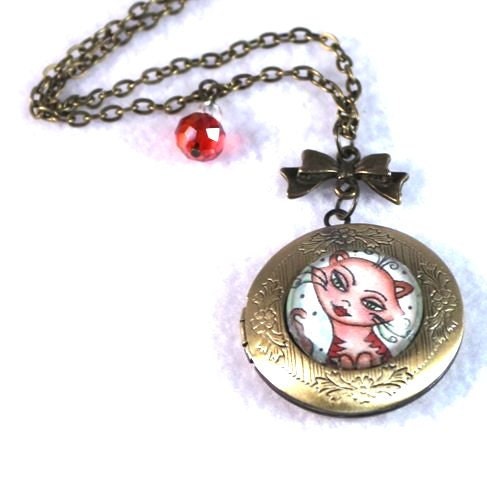
The "Tan Kitty" LocketShop: maryannfarley


July 23, 2012

Seven Twitter Tips to Make Sales Soar!


OK, so you’ve got just 140 characters to work with, and you’re wondering how in the world you can make Twitter work for your business, other than posting what you have for sale, right?

Wrong!  Even if you never used another social media site, Twitter alone could be the secret to your success, taking your business to heights beyond your imagination, and Susan Newman of Susan Newman Design, Inc., has just the suggestions to make that happen.

Susan Newman
Use hashtags.  It’s pointless to simply post info about a sale or a web link, as the only people who will see that tweet will be the ones who happen to read it as it flies by during a very short amount of time. However, the use of hashtags, which are subject words preceded by the “#” sign, will ensure that hundreds, if not thousands, will see that post.

“If you only send out one tweet a day or one per week, and you don’t use hashtags,” says Newman, “then the only people who will see it are those sitting in front of the computer during the moment you wrote it. The only way to get more eyes on that post would be to post that same tweet more often, and to use hashtags, as that’s what people search in order to find the things they’re interested in.”

For example, if you’re tweeting about a new item you have for sale in your Etsy shop, and it happens to be an artistic piece of jewelry, some hashtags you could use might be #necklace, #jewelry, #etsy and #art.

Newman offers a recent example of what the right hashtag did for her: She had entered a contest given by Chase in which 12 winners would receive $250,000 each to build their small business. But in order to be accepted into the contest, she needed 250 votes to qualify. As she had 1,000 followers on her Facebook page, and 6,000 followers on Twitter, getting 250 votes would seem easy, right?

Newman said her pleas for support went nowhere, and she was deeply perplexed.

“Day after day I’d post my request for votes, and maybe I’d get one here, or two more there,” she says, “but when it came down to my having just one week left to qualify and I was nowhere near 250, I said to myself—I’m doing something wrong. Why can’t I get these votes?”

Then the answer came to her…in the form of the hashtag #missionsmallbusiness, which she’d spotted in another entrant’s Twitter post. Apparently, this was the hashtag associated with the contest, and entrants were using it in their tweets as a way to ask for votes, which all basically said, “vote for me and I’ll vote for you.”

Once Newman began using the hashtag, she quickly ended up with 280 votes, AND she made great connections with small business owners from all over the country.

“This whole experience made me realize that you can’t succeed at a particular Twitter task unless you know who your target audience is,” she says.  “My assumption that my friends and followers would help me get votes was wrong, not because they didn’t want to help, but because the issue wasn’t important to them, whereas it was important to the other entrants seeking votes. The minute I figured this out, within a day and a half I had all the votes I needed.”

Invest in the software Tweetadder.  Now that you know about hashtags, how do you start reaching that valued “target audience” Newman speaks of?  She says that for about $50 for a lifetime membership, Tweetadder will be working for you all day long while you’re off working on other aspects of your business. (Note: This is not a paid endorsement for Tweetadder.)

“It’s really amazing in what it can do,” Newman says. “Its scope is incredibly broad.”

Here’s just a few of its features:
It searches hashtags, then automatically follows those people for you. If they don’t follow you in return, it will automatically unfollow them. (It also can create a White List for people to never unfollow.)
It can search by keywords and profiles.
It can manage multiple Twitter accounts.
It can find out what keywords people used to find and follow you.
It can schedule tweets throughout the day, and can even schedule them up to a year in advance.
It can post your tweets to Facebook, LinkedIn and MySpace.
It can automatically retweet another user.
It displays current Twitter trends.

The list goes on, Newman says, noting that ever since she started using the software, not only has her Twitter exposure grown, but it has also freed up a lot of time that she can use to advance her business in other ways.

“You can load in 20 tweets, then check them off that you never want them deleted, and in fact you want them to continue to be randomly posted. I’ve been doing that for all my brand interviews and blog posts.”

Use your team to create a Twitter Day. Newman suggests that the New York Etsy Team pick one day a week to create a thread on its discussion board whereby everyone retweets one another’s Twitter posts. She says this works incredibly well in an online social group she belongs to.

“Each week, we have a Twitter Thursday, and the rules are that you put in one tweet that you’d like everyone else to retweet. When you post your tweet, put an 'RT' in front of it (for 'retweet'), and all participants have to do is just copy and paste it into their Twitter feeds.  Once you add your tweets to the list, it’s then your obligation to retweet everyone else’s,” she says. “When you have 25 or 30 women participating, your tweets are getting a great reach.”

Be sure to include your handle in every tweet.  If your tweet asks readers to see your art or visit a link, it goes out into the Twitter universe, and that’s that. But if you include your handle (which is stated like this: @yourtwittername) and other people retweet your post, your visibility is not only increased, but also your klout score (which is the measurement of someone’s overall online influence).

“I think people don’t understand what Twitter is really all about,” Newman says. “It’s not like Facebook, where you post something, then go make dinner. On Twitter, you have to be a bit more attentive, as you can also have conversations.”

Make sure that the tweets you’re sending are consistent and often.  Previously, the common wisdom was that one shouldn’t tweet more than five times a day, as readers would find such repetition annoying. But that’s no longer true, as it’s now evident that if you send out the same tweet five times in one day, most likely there will be different eyes reading it each and every time.

“You would never do that on Facebook,” says Newman, “as it would be annoying. But on Twitter, it’s actually okay to retweet old posts…especially the ones that have information that people are looking for.”

For example, on this very blog, the story “Four Quick Tips for Getting Those Google Hits,” which was another interview with Newman, has continued to get readers, and that’s because Newman has continued to tweet about it, which in turn has caused it to be retweeted countless times.

Use fresh language in every tweet.  The best way to continually draw traffic to posts, pages and artwork is not just to tweet frequently, but also to use creative language that will grab attention. “I just wrote a blog post on how to find clients when business is slow,” says Newman, “and I titled it ‘Offer Your Best Cookies and Watch Them Follow.’ It’s an interesting copy line, and I see that it’s getting retweeted.”

Pay attention to how you phrase things, and once in awhile, tweet something that people will find of service in some way. Don’t always just send out info about new listings. Draw people in by being helpful and kind.

Keep your characters to 120. Even though Twitter allows you 140 characters, if you keep your tweet to 120, you leave some space for people to comment in a retweet.

Remember, too, that you have can personal, private conversations on Twitter. “People think that Twitter is impersonal and Facebook isn’t,” Newman says. “That’s not true. On Twitter, you can have that personal conversation, but it still has to be brief and to the point.”

Newman will be kicking off her fall webinar series this week, Wednesday, July 25, at 2 p.m., with a webinar titled “Using Pinterest for Your Business,” to gain more traffic, leads and sales. Go to http://broadcastlouder.com/classes/creativity-abundance-2-0/ for more information.

Until next time!
Mary Ann
www.maryannfarley.etsy.com

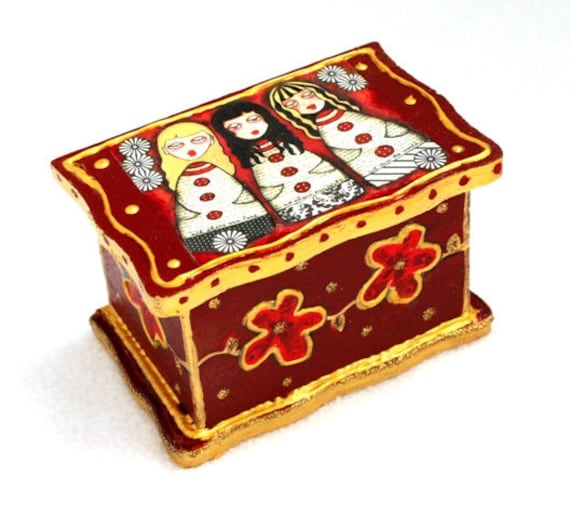
The "Cutie Pie" Jewelry Box

*************************


June 19, 2012

LinkedIn: Four Tips to Build Your Business


We’ve all said the same thing at some point: I’m a member of LinkedIn, but I’ve no idea why, as I don’t get what it’s about. What’s the point of it? Is there some way to use it that I’m missing?

You bet there is, according to Susan Newman of Susan Newman Design in Jersey City, NJ, who says that LinkedIn may just be the best social media site out there at the moment. As people have become more and more frustrated with Facebook and its constantly changing landscape, they’ve been giving LinkedIn a second look, and have been amazed at the scope of its functionality. Newman offers four tips to understanding LinkedIn better.

Susan Newman
You can make your profile much more robust than you know.  Aside from putting in all the basics about your current stats and your work history, you can add imagery by connecting to free portfolio sites like Behance. Or you can add a Powerpoint presentation by connecting with Slideshare, which also allows you to insert a video into that presentation.

“When you click on my own LinkedIn profile, a video will immediately start playing, and it really attracts people," says Newman. "All of a sudden they hear me talking, so when they scroll down a bit, they’ll see a two-minute video of me and when I'm done talking is shows a slide presentation of everything I’d like to show to them. It makes a huge impact on viewers.”

She says that when filling out the places where you’ve worked, instead of inserting the company name, insert your role, as that’s the criteria people will be searching for. “I’m a brand identity designer,” says Newman. “People aren’t going to find me based on the name of my company. They’re going to find me under a search for brand identity designers.”

That’s how you’ll get found, she says, and once you do, seeing a portfolio and video in your profile will give visitors a much better sense of who you are both as a person and a business.

Join a LinkedIn group, then make use of the advanced search functions. Not many people know this, but on LinkedIn, there’s a group for just about anything you can think of…animal lovers, jewelry designers, “green” activities, etc. What makes this significant is that, because LinkedIn only allows you to connect with people you know, if you like a person’s comment in a group, you now have a reason to connect with him or her. You can see all of your groups’ discussion activities through daily or weekly email digests.

“Once you receive your digests, you look through the discussions to see if there are any you want to participate in,” says Newman. “You then go to that discussion, read what they’re talking about, then add your own comment. What’s significant is that if there are 500 comments, that’s 500 people following that discussion, so your own comment gets sent out to all of those people. You can reach so many people in such a simple way.”

Even if there are only five people following a discussion, all it takes is one golden connection to make a difference in your business, and that’s where LinkedIn’s search functions come in. When you load the LinkedIn home page, at the top right hand corner, you’ll see that the search bar is  automatically set on people. But if you click on “Advanced” to the right of the search bar, you’ll be able to search for people using just about any criteria you can think of via the keyword box.

“Let’s say that I was looking for creative directors,” says Newman. “Once I click on ‘Advanced,’ a whole load of criteria opens up on the left side of the page. I can then limit my search to location. Once I find someone I want to connect with, I click on that person’s profile and it will tell me what groups they’re in, and specifically if there’s a group that we have in common. If so, I can now send a message saying that we are both in this group, and it would be cool if we could connect.

“The great thing about LinkedIn is that it offers ways to get incredibly high visibility, which we’re not getting anymore with Twitter and Facebook, where there’s just too many people now and too much going on,” Newman says. “Seventy-five percent of people don’t even see your posts anymore.”

At one time, Facebook “Pages” were a hot topic, but with Facebook’s recent changes, Pages no longer offer the functionality they once did. Many users find the Timeline (which was forced upon Pages) confusing, and Newman has seen a drop-off in Page usage. For a time, many thought that Google+ would be a great replacement for Facebook Pages, but Newman believes Google+ is trying to be all things to all people and just isn’t delivering.

“Google+ tried to combine the best of both worlds of both Facebook and LinkedIn, but the two sites are just too different,” she says. “LinkedIn’s discussion groups are the best out there, which people are beginning to gravitate to as they become more and more frustrated with Facebook.”

Using LinkedIn’s “Question and Answer” section can set you up as an expert. It can also offer a wealth of information that you just won’t be able to find anyplace else.

To ask a question, in the top right search bar, use the pull-down menu and click “Answers.” On that page, you can ask anything you want, like “What should I charge for a dozen printed greeting cards on Etsy?” Once you read the list of answers, you’ll also have the opportunity to click on which was the best answer, which will then give a credit to that person as an “expert.” The more times you answer questions and get the “expert” credit, the more likely you’ll begin to show up in listings as an “expert” in your particular area.

“The best reason for joining LinkedIn is two-fold,” says Newman. “The first is that you want to have a place that stores your complete profile where many people will be able to find you. The second is that you’ll want to join the LinkedIn groups and participate in or start discussions in order to open yourself up to a huge amount of people.

“If a group has 30,000 members and you post a discussion there, that’s a lot of eyes on that topic. You no longer have to worry about 10% of your followers on Facebook seeing your photo. On LinkedIn, you could literally get hundreds of comments and have people connecting with you left and right. The whole key is visibility.”

Schedule your social networking, so as to not spread yourself too thin. Newman says that as there are so many social networking platforms available now, business owners should approach them in one of two ways: Either pick one or two platforms and focus on them exclusively, or stick to a tight schedule of when you’ll post to which platform.

“There are different types of audiences for each platform,” says Newman. “The people who follow YouTube are different from those who follow LinkedIn, Twitter, Facebook or Google+.  With so much going on, people are in danger now of spreading themselves too thin. Personally, I focus a lot on Twitter, and as a result have seen my followers quadruple in one year.”

But she also follows a social networking schedule, meaning that on certain days she’ll be sure to post something to Facebook, while others she’ll work on LinkedIn. Of course, if she has something urgent going on, like a new seminar or a new blog post, she’ll “pollinate” across all platforms in order to get as many discussions going as possible. But her favorite for discussions is by far LinkedIn.

“People are finally starting to get the message of LinkedIn,” she says. “Yes, it’s a business-to-business site, but the discussion area is more of a community talking to each other. And very often that community is huge.”

Until next time!
Mary Ann

"Serenity" Wood Block Print
Shop: maryannfarley


May 29, 2012

Look What I Found!

I'm usually one of those typical Capricorns...practical to the hilt. So when I volunteered to write for the New York Team blog, I decided that for each post, I'd interview some kind of expert in the marketing, business or SEO fields, as a means to better serve the team, and, of course, myself! Practical, right?

So far it's been great, as each expert has offered some incredible advice, but for today's post, I decided to take a stroll through the New York Team's items, just to see what would pop out at me. As I'm always on the hunt for inspiration, I just randomly clicked on a few shops, and these incredible finds spoke out loud and clear!

"Pink Rose" by Kelley Gudahl

How could I start my stroll without first stopping at the shop of our fearless team captain, Kelley Gudahl. Wow! What a wonderful springtime gift this rose from the Brooklyn Botanical Gardens would make. It's an 8x12 matted photograph printed on high quality Kodak Endura Last paper in Lustre finish. Print is matted in an 12x16 antique white mat. Beautiful!

"Grasshopper" by Kim Piotrowski

Kim's avatar immediately caught me, so I had to look at her shop, Kipi, and it didn't disappoint! This piece, "Grasshopper," is an original gouache painting on antique book paper, measuring 7.5x5. Her whole shop is a color explosion, just like this one. It was hard to pick which one I liked best!

"Same Sex Wedding Card" by ShirlBCreations.

OK, I guess it's pretty obvious at this point that I like art. As with Kim, I couldn't resist Shirley's avatar and so had to take a peek into her shop, which is just stuffed with incredibly adorable images, like this one, her "Same Sex Wedding Card," which measures 5x7. Each piece is more whimsical than the next. Stop by for some unique finds!

"Purple and Pink Fun Owl Felt Hair Clip" by BrooklynOwl

This so-cute-it-hurts item is the "Purple and Pink Fun Owl Felt Hair Clip" by BrooklynOwl. Clip measures approximately 1.75in by 2.25in. and is entirely hand sewn with high quality USA made felt. Shop owner Annie Bruce says her items are a tribute to her little girl, who fell in love with owls at the Prospect Park Zoo. Stop by her shop and fall in love with THESE owls.

Wrist Cuffs from dslookkin

These wrist cuffs from dslookkin are just so original! I'm not even sure what they are or why I need them, but I want them. I'll let Dawn Stewart-Lookkin explain them: "Make a statement with this unusual cuff/bracelet for summer! I crocheted this original vegan acrylic pink and orange cuff with a 'rib cage' feel making it both light weight and stylish. This unusual cuff is connected in a circle though it appears to be made of multiple 'bangles' of various width. It's perfect for art openings, farmer's markets and work affairs. I made this one for medium/large hands/wrists and will stretch just a tiny bit."  Well said, Dawn. They're now in my favorites, as are all these other items! Thanks, ladies!


Until next time!
Mary Ann

The "Popgirl" Pendant by maryannfarley


May 12, 2012

Four Tips for Creating the Perfect Promo Video


Sure, you’ve got your web site, you’ve got your blog, you’ve got your Facebook page and your Twitter account, but do you have a promotional video?

You may be scratching your head with that one, wondering why an Etsy seller would ever create a video to promote his or her shop. But according to Michelle Lange of M Lange Media, a video is the perfect way a seller can tell the all-important story.

Michelle Lange
“We’re wired for story,” says Lange. “Think about your childhood; it’s the stories you remember like The Wizard of Oz or Charlie and the Chocolate Factory. We learn and take in information using stories, because stories will always be more memorable than facts. They evoke emotions, which is why it’s so important to integrate your personal story when promoting your business.”

While ideally, it would be wonderful to have a professionally shot video (a service Lange provides), one can do it using an ordinary camcorder and the help of a  trusted friend who has a good eye.

Here’s what to focus on when shooting your own video.

Prepare your lighting. Obviously, you need to be well lit so that your audience can see you. Lange suggests placing two lights on either side of you about three feet away at a 45-degree angle so that the face is lit up clearly. Japanese lanterns work well, as the lighting is very soft, but ordinary shop lights with fluorescent bulbs from Home Depot can work, too.

“Be sure to play around with your lights and watch your footage so you can make sure you are not over-lit or under-lit,” Lange says. “Your basic lighting has to be right.” Lange has a tutorial on lighting yourself with Home Depot lights created by photographer Curtis Judd in her blog article “The First C of Effective Marketing Videos: CAPTURE!"

Frame the image properly. This means that your head should have about a quarter inch of space above it when one is looking at the video screen. And viewers should only see you from the chest up.

“This makes the shot more up-close and personal, which helps establish a stronger connection with your audience and creates a greater impact,” Lange says. “Common mistakes entrepreneurs make are framing themselves with several feet above their head and filming themselves from too far away. This makes our eyes wonder around the room and not focus on the person speaking.”

Make effective wardrobe and make-up choices. Lange suggests wearing clothes that are simple and streamlined. As the camera adds weight to the subject, avoid billowy fabrics, layers and ruffles. Also, don’t wear black, as it can look drab on film, nor white, as it can throw off the camera’s white balance.

“Find out which colors look best on you and wear those,” Lange says. “If you have pale skin, avoid bright, overpowering colors. Go with the medium shades like medium pink, blue, green, or purple, and avoid pale colors, which will wash you out. If you’re making a website video, be sure the colors don’t clash with the colors of your site.”

As for make-up, Lange suggests wearing the same amount you would for a business meeting—simple and pulled together.  “The HD camera picks up every detail so wear the exact amount of make-up you would want to show up on video,” she says. “And be sure to powder your entire face before going on camera – including your eyelids and hairline. The lights produce a shine on the subject’s face, so using powder ensures that we pay attention to what you are saying and not to the shine.” .”  Lange also states that both women and men should use powder to reduce the shine. Lange’s favorite is the HD powder by Makeup Forever, available at Sephora – this is created particularly for the HD camera, although she says that any good quality powder will do.

Have a friend interview you. Most likely, you’ll be way too uncomfortable to just speak into a camera directly, so have a friend stand just to the side of the camera, and have the off-camera friend ask you interview questions, much like what one sees in a news program or documentary. Speak directly to him or her instead of looking into the camera.

Obviously, have those questions prepared ahead of time, and try to speak in a conversational style when answering.

“It’s best to write out all your answers before you’re actually interviewed so that you can hone down exactly what you want to get across,” says Lange. “Read through those notes a bunch of times so that you’ll know your talking points. That way, once the camera starts rolling, you’ll look very natural.”

Have your friend ask questions about your process, what inspires you to create your work, and the benefits your clients experience from your products or services. While you’re talking, cut away to some visuals of your items, which would most likely require the help of a video editor, or a particularly skilled friend.

“A camera is such an odd thing,” Lange says. “We’re not brought up speaking in front of an inanimate object, so an anxiety response is normal. Like anything, talking on camera is a learned skill, but the more relaxed you get with it, the more your story will come through. Art is at its most fascinating when we know the story behind it.”

Lange’s company not only creates videos for entrepreneurs, but she’s also a video coach. She offers a complimentary 30-minute video strategy session to help sellers find out how they can increase their visibility, credibility and revenue through video. Email: michelle@mlangemedia.com; phone: 310-876-1362.

Until next time!
Mary Ann

The Brooks Ring.
The shop: www.maryannfarley.etsy.com.


April 25, 2012

How to Tell Your Story and Make the Sale

The warmer weather is finally here, which means many Etsy artists in the New York area will soon be selling their wares not just in their online shops, but also in the great outdoors—at street fairs, flea markets and crafts festivals.

Are you ready to interact with your public? Are you ready to tell your story in order to make that sale?

According to SpeakEtc.’s Robyn Hatcher, a communications and presentation expert based in New York, there are a few things creative people need to think about to communicate their message, and it doesn’t always involve your words.

Robyn Hatcher
In fact, when it comes to the elements that affect a listener’s tendency to believe or trust a particular speaker, a well-known study by communications expert Albert Mehrabian notes that what you actually say (the verbal element) counts for just 7%. The vocal element—how you say it—counts for 38%, and the visual element—what you look like—counts for a whopping 55%.

How do these numbers translate into how you present yourself?

Your work and your look should be consistent. “People believe what they see and hear before the words even come out of your mouth,” says Hatcher, “so dress in a way that’s consistent with what you’re selling.” If you dress conservatively, for example, and you’re selling soft paintings, people may not trust you as much as if you dressed in a softer style.

Conversely, if you’re an artist, that doesn’t give you license to look disheveled, either. “You want to look arty yet professional,” says Hatcher. “Make sure what you’re wearing is flattering to your body and figure. But most important, make sure that what you’re projecting is 100 percent consistent with your work.

“It may seem like a no-brainer,” she adds, “but I’ve met jewelry designers who don’t even wear their own pieces. Of course, you shouldn’t wear too much either, but wearing a touch of what you do is essential.”

Project confidence with your body language. There are things that we do naturally when we’re confident that can put our potential customers at ease, but these things can go out the window when we’re anxious about making a sale. Hatcher suggests remembering the following tips when nerves start to kick in.
  • Greet people with a slight eyebrow raise. It’s a warm, inviting silent welcome.
  • When possible, try a light appropriate touch, on safe places like the elbow, shoulder or hand. Touch creates a bond and makes people feel more positive about you.
  • Use eye contact (5 to 10 seconds at a time). People will feel engaged and connected.
  • Smile. 
  • Keep from covering your torso whenever possible. It’s easy to assume a posture like crossing your arms, but the torso is the most vulnerable part of the body; showing it makes you seem trustworthy and confident.

Don’t think it’s about selling. When making your sales pitch, remember to talk about why you do what you do, not just what you do or how you do it. “Think about why you create,” says Hatcher. “Of course we all need to make money, but the moment we focus on making money first, we project desperation and/or frustration, neither of which is very attractive or engaging. Instead of thinking about selling, think about sharing. Every person who experiences you and your work is one more person you’ve impacted. You never know who they know or how long it might take for them to call you or engage with you.”

When Hatcher coaches her clients, she looks for the relatable stories or aspects of their work that they can use in closing a sale. If you can touch upon an emotional need in your customer—be it a sense of nostalgia, or making someone feel more attractive—then you’re much more apt to not only make the sale, but also a connection that turns the sale into a returning customer.

“Whenever someone is listening to you,” says Hatcher, “there’s always this tape in their head that’s asking—what’s in this for me? That’s what you want to hook into.”

If you’re a jewelry designer, for example, think about what drove you to create a certain design, then share that story.

“You want your customer to say, ‘Oh, I’ve been there. I know this person better because she shared this info with me,’” says Hatcher. “You want the customer to be able to relate.”

Of course, you may not even be aware of why you created certain things, as so much of our creativity is subconscious. But Hatcher says it’s worth it to dig down into yourself and find an answer that’s deeper than saying you created something simply because you like it.

“Ask yourself why you’re doing the work you do,” she says, “then ask what it is you want your customer to feel when wearing or using your things.”

A happy outcome of doing such an exercise might be not just more sales, but a spurt of creativity as well, as you become more aware of where your work is coming from.

“Proudly and confidently talking about what you do is not the same as bragging,” says Hatcher. “Fully sharing what it is that you do and the value your art might bring to perspective buyers is providing a service.

“Art is healing, art is therapeutic, art can change people, and by not fully sharing what it is you do and by not allowing people to fully experience you and your art, you are doing them and your art a disservice.”

Looking for a professional video for your web site? Hatcher and videographer Judith George will be presenting a two-day seminar May 19 and 20 titled "Telling Your BizVid Story." Participants will leave the  workshop with elevated communication skills, a clear and concise business story, plus a professionally shot and edited, ready-to-post video. Contact Hatcher for details.


Until next time!
Mary Ann
www.maryannfarley.etsy.com


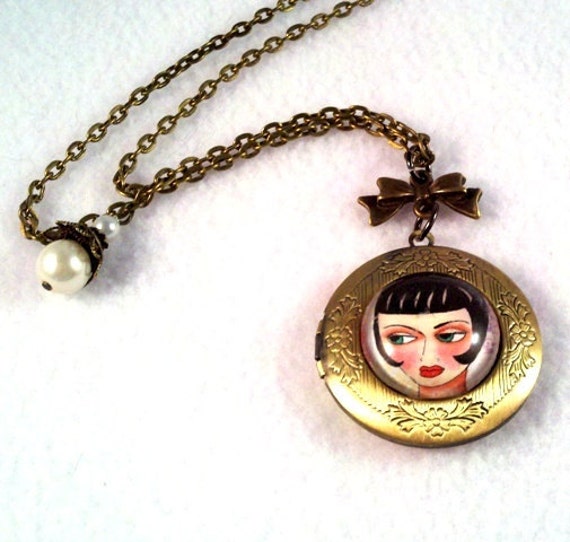
A photo locket for your little secrets...


April 9, 2012

Four Quick Tips for Getting Those Google Hits

You’ve read every article, attended every conference, watched every video on how to get found on the web, yet you’re still not getting those Google hits. What’s an Etsy shop owner to do?

According to Susan Newman of Susan Newman Design, Inc. in Jersey City, NJ, there are a few basic things you could change this very day that could alter your results dramatically. And all it takes is just a little time at the computer.

Newman’s tips come from her years of experience in web design, branding and social media, and the use of these ideas herself in her own business. They’re just a part of what’s being showcased in her current Broadcast Louder seminar, a series of seven classes designed to help creative people brand themselves better. Here’s what Newman suggests:

Name your jpegs with keywords. (NOTE: Etsy renames your jpeg titles once they're uploaded. However, it's still a good practice to name your photos with keywords for when they appear in blogs or web sites.) Very often, we name our images with just numbers or our own internal coding system so that we can best find them quickly in our files. But Newman says this is a big no-no.  What you name your jpeg in your computer is what Google is going to search once it’s online.

Susan Newman
If you’re a jeweler, for example, and you’re selling a gold necklace with some colorful beads, you may want to name that photo “gold_necklace_purple_beads.jpg” so that the item will now come up in Google’s images search.

“The name you give that image is going to follow it wherever it goes on the web,” Newman says, “whether it’s on Etsy or Pinterest or Facebook. You want the image name to be the answer to someone’s query.”

One final tip: Be sure that there are no spaces in the jpeg name; use hyphens and underscores to divide words.

Create a blog…NOW.  Sure, everyone knows that blogging is a great way to draw customers to your shop, but the statistics on those who blog and those who don’t are staggering. And the numbers get even more astonishing depending upon how frequently you post.

According to marketing-software manufacturer Hotspot.com, people who blog daily are 90% more likely to generate a sale than those who blog monthly, who have just a 13% chance of a sale.  And the person who blogs multiple times per day actually has nearly a 100% shot at generating a sale. It doesn’t matter what the subject is…it’s getting your shop name out there on a regular basis that’s important.

“The more you blog, the more content you have streaming to the web,” says Newman, “and the more people you have coming to your site. Of course it has to be good content, but basically the more you blog, the more the return on investment becomes unreal.”

Newman stresses that a blog title needs to be rich with keywords. And if there is an area for a description, don’t overlook it as an opportunity for keyword exposure.

She also explains the importance of “long-tail keywords,” which more clearly refine and define your products. A web designer, for example, might use the keyword phrase “web design” to describe his or her business, but Newman said that would be of no use at all. In the case of her own company, if she used the keyword phrase “web design Jersey City,” she’d see more traffic to her site, but if she became even more specific, using the keyword phrase “custom Wordpress themes Jersey City,” her traffic would skyrocket, as would her placement in a Google search.

“With a phrase like that, I might now be on the first page,” she says, “and quite possibly even number one.”

So switch it up. If you blog just a few times a month, try posting twice a week and see what happens. It’s quite possible that you’ll double your sales.

Create a Facebook page.  Almost everyone has a personal page, but not all Etsy shops have a Facebook page, which are for businesses, organizations and brands to share their stories and connect with people. If a shop posts solely on their personal page, Google has no idea what they're doing.  Why?

“If Etsy store owners just have a personal profile, none of what they say or write is searchable on Google, because that profile is private,  provided they chose that option in their settings,” Newman says. “But a Facebook page is public. That means that everything is searchable…your galleries, your image descriptions, your bio information, plus the images you upload.”

Like your jpeg images, when it comes to your Facebook page, think “keywords” in regards to just about anything you write. By drawing web surfers to your Facebook page, you're in turn drawing them to just about everything else you do, provided you've linked to all of your other social media...your web page, your LinkedIn page, your blog, and, of course, your Etsy shop.

Create a YouTube channel.  As YouTube is the second most searched site on the web (Facebook being number one and Google being number three), if an Etsy shop doesn’t have a YouTube presence, an enormous opportunity is being missed.  Creating video content might not be the first thing an Etsy owner would think of, but Newman says it makes sense.

There are any number of videos shop owners could create that would be of interest to their customers: tutorials, themselves at work in their studios, or a photo stream of their wares (using sites like Animoto, a free video-making site).

“In having a YouTube channel, you’re giving your audience another way to find you and your work,” Newman says. "As with your jpegs and Facebook, be sure to tag your videos properly with keywords and good descriptions, then cross-pollinate your platforms by putting that video link on your Facebook page and your blog. The more variety you have in the formats you give people, the more you’ll be opened up to new audiences.”

Click here for more information on Newman’s Broadcast Louder seminar, a series of seven classes starting April 11 for just $97. And click here to be a featured guest in her Branding You Better series.

Until next time!...
Mary Ann
maryannfarley.etsy.com

For your little treasures...

******************************